Don't put your phone in the TSA bin. TSA's own advice is to put your phone inside your carry-on bag at the checkpoint, along with your keys, wallet and anything else from your pockets. A phone sitting loose in a bin is easy to leave at the end of the belt, and as of October 2026, TSA estimates that roughly 90,000 to 100,000 items are left behind at its checkpoints each month.
The fix is a small habit in the security line. Here's what TSA says about phones and bins, a simple routine that keeps your phone with you from the ID check to the gate, and what to do if it goes missing anyway.
What TSA Says About Phones and Bins
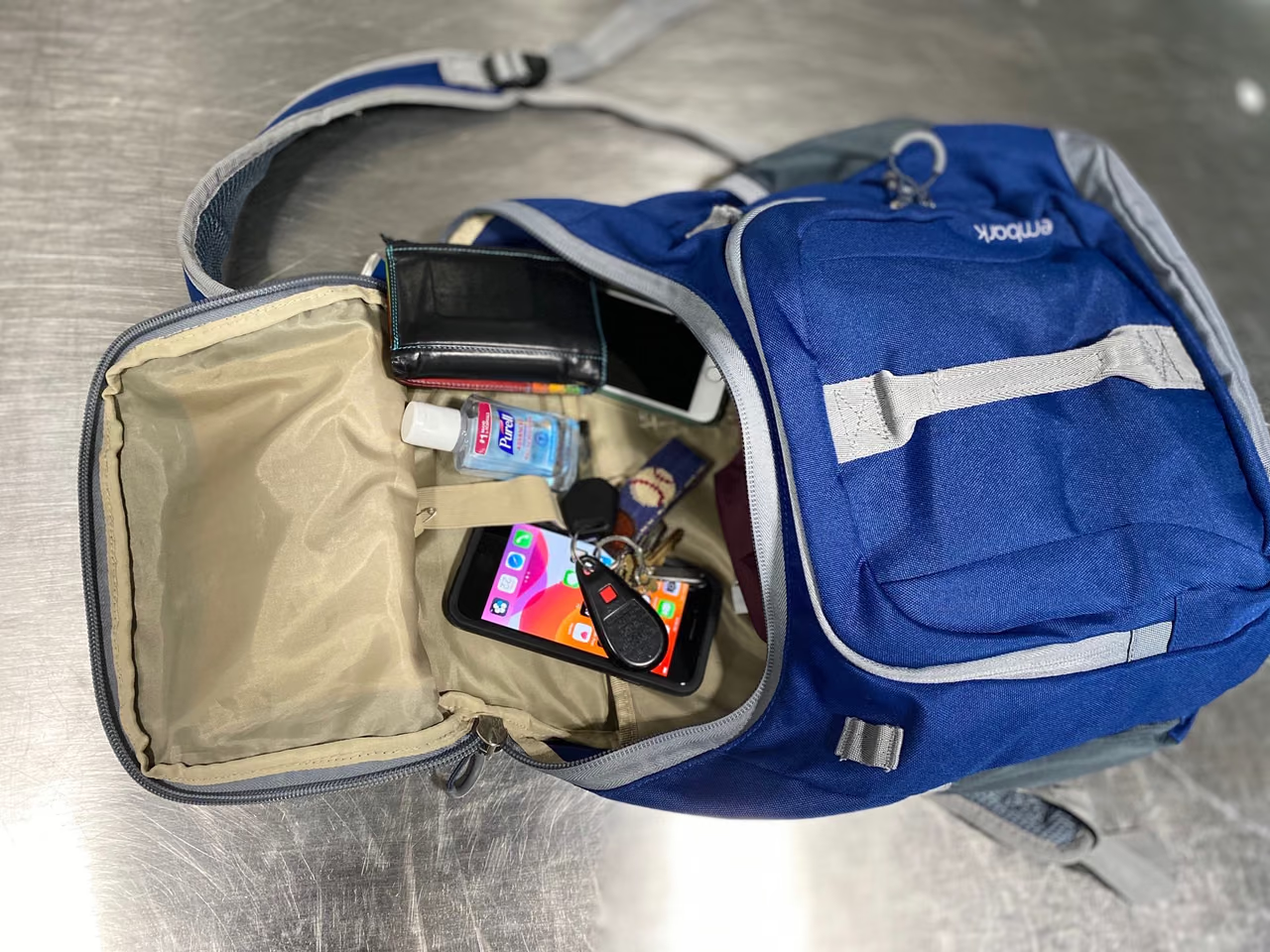
TSA has said this plainly. In an August 2023 release of tips from its officers, it wrote: "Place your mobile phone inside your carry-on bag at the checkpoint. Don't put it in a bin where other people have placed their shoes."
A September 2023 release on screening at Guam's airport gave the reason: "Place wallets, phones, keys, sunglasses and other loose items from your pockets inside your carry-on bag instead of placing them in a bin. This will ensure personal items are not left behind."
TSA's current Travel Checklist covers the standard lane. It tells you to empty your pockets, naming keys, wallets and cell phones, and notes that valuable items can be placed in your carry-on. It asks you to take out electronics larger than a cell phone, such as laptops and tablets, and put them in a bin with nothing on or under them.
A phone isn't in that group, so it can stay in your bag. The checklist ends with: "Remember to check the bins and collect all belongings after going through screening."
At lanes with CT scanners, every carry-on item goes into a bin, bag included, so your phone still rides zipped inside the bag. Our guide to TSA's CT scanners covers those lanes. Either way, listen for the officers' directions at your lane, as TSA asks.
Why the Bin Is the Weak Spot
This part is our advice, not TSA's. Assume your bin can reach the end of the belt before you do. If you're pulled aside for extra screening, it may sit there without you, and a phone on top of a jacket is in plain view of everyone waiting.
Small items also don't belong loose on the belt itself. In the August 2023 release, TSA said phones, keys, boarding passes and other small items will likely fall between the conveyor belt's rollers "and can be difficult (or impossible) to retrieve."
How to Get Through Security Without the Bin
This routine is our advice, and it matches what TSA asks for:
- Empty your pockets in line. TSA's officers suggest using your time in the queue to move everything from your pockets into your carry-on.
- Keep the phone in hand through the ID check if your boarding pass is on it. Once the officer is done with it, zip it into your bag before the bag goes on the belt.
- Use a zipped pocket. An inside or front pocket that closes is better than an open side pouch. With no carry-on, a zipped jacket pocket is the next best place.
- Put your contact details on it. TSA's checklist says to tape a card with your name and contact information on your electronics. On a phone, contact details shown on the lock screen do the same job.
- Turn on Find My (iPhone) or Find Hub (Android) before you leave home. Keep the phone charged, too. TSA says officers may ask you to power up a device, and a powerless device won't be permitted on the aircraft.
- Collect before you walk away. Check the bins and collect all your belongings, as TSA's checklist asks.
If Your Phone Gets Left Behind
Contact the right lost and found as soon as you notice. TSA's Lost and Found page lists lost and found contacts by airport, for items left at TSA checkpoints. For items lost elsewhere in the airport, TSA points you to the airport's own website. TSA also says that at a number of locations, lost and found items go to the airport at the end of each day.
TSA holds items left at checkpoints for at least 30 days. To get yours back, you'll need to describe it: when you lost it, its color, or anything else that identifies it. You can pick it up yourself, approve someone else in writing, or have it shipped at your own expense. TSA says it isn't authorized to spend money returning items.
After the 30 days, TSA says unclaimed electronics have their memory removed and destroyed, or are destroyed completely when the memory can't be removed.
Where PreCheck and Your Card Fit In
TSA PreCheck means less to unpack at the belt. TSA's PreCheck page says that with PreCheck you "leave in your bag electronics and 3-1-1 liquids and leave on belts, light jackets, and shoes." Fewer things in bins means fewer things to collect.
TSA also says no individual is guaranteed expedited screening. Our TSA PreCheck guide covers cost and enrollment.
Many travel credit cards include a statement credit that covers the PreCheck or Global Entry application fee. Our list of ways to get PreCheck, Global Entry and CLEAR free and our roundup of cards with PreCheck and CLEAR credits show which cards do.
If a phone is stolen, check your cards before you pay for a replacement. Some cards include purchase protection for theft or damage within a set window after you buy, and some include cell phone protection when you pay your monthly phone bill with the card. Terms vary by card, and most cover theft and damage but not loss, which matters if the phone was simply left behind. Our purchase protection guide explains how claims work.
The Bottom Line
Before your next flight, pick the zipped pocket your phone will go in, turn on Find My or Find Hub, and put your contact details on the lock screen. At the checkpoint, keep the phone in hand only until your ID is checked, then zip it away before your bag reaches the belt. If you fly often enough to want fewer bins altogether, check whether a card you already hold covers the PreCheck fee.