


TSA PreCheck Touchless ID has been live at 65 U.S. airports for nearly two years, and it sits in an unusual place in the expedited screening conversation. It is free, works for travelers who already hold PreCheck or Global Entry, and shaves a modest amount of time off the identity check. It also asks travelers to hand a federal agency a permanent biometric record, fragments enrollment across five separate airline apps, and runs on facial recognition technology with a documented record of demographic accuracy disparities. The question worth asking before enrolling is not whether the program works. It mostly does. The question is whether the time saved actually matters at the scale of one traveler's year, and whether the privacy cost is calibrated correctly against that gain.
The honest answer sits in the middle. Time savings are real but small, privacy concerns are legitimate but not catastrophic for the average person, and the fragmented opt-in design says something useful about how the federal government and the airlines divide responsibility for biometric data. This guide walks through what Touchless ID does, where it works, what TSA does with the data, what the facial recognition research shows, and how to think about enrolling.
Touchless ID is a convenience program with a privacy footprint that frequent travelers should evaluate on their own terms, not a security upgrade and not a meaningful threat to most people.
How Touchless ID Actually Works
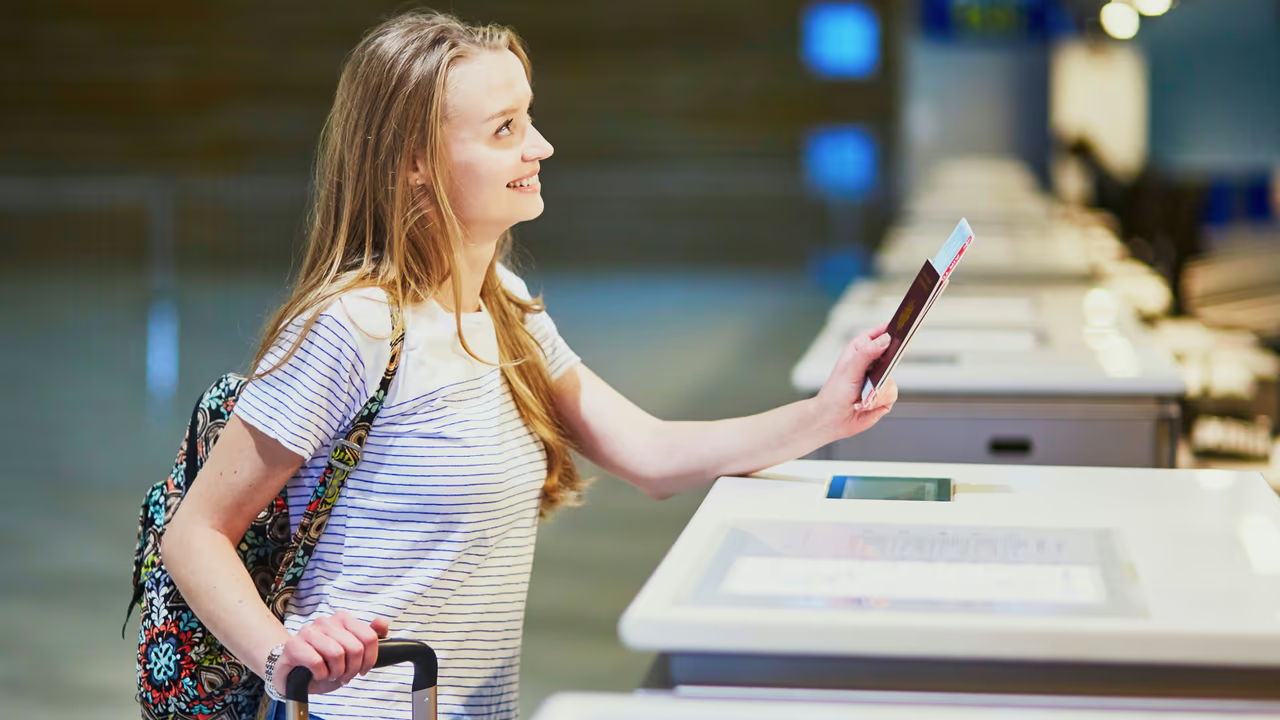
Touchless ID is a layer on top of TSA PreCheck. To use it, you need PreCheck or Global Entry, a Known Traveler Number on your reservation, and a completed per-airline opt-in for whichever carrier you are flying. At the checkpoint, a camera at the ID podium captures a live image of your face and compares it against the passport photo TSA holds on file. If the match clears the confidence threshold, the officer waves you through without scanning your ID or boarding pass.
The interaction takes 15 to 30 seconds when it works. Match failures happen 5 to 10 percent of the time based on TSA's own published acknowledgments, and the fallback is to hand the officer your physical ID and proceed through the standard PreCheck lane. Failures cluster around podium lighting, hats and sunglasses, significant appearance changes since the passport photo was taken, and a demographic skew I will come back to. The system uses your U.S. passport photo as the reference. Driver's licenses and passport cards are not supported.
The architecture explains the design choices. TSA owns the biometric template and the screening logs. The airline app is the consent-capture surface where you authorize TSA to match your face against its files for the flight you are boarding. The airline does not store your passport photo or your checkpoint images. TSA does. That split is what produces the fragmented enrollment experience.
The 65-Airport Coverage Map
Touchless ID is available at 65 major U.S. airports, with coverage that varies by airline. The footprint covers the obvious hubs and most secondary airports of any meaningful traffic. Gaps are mostly small regional fields where the equipment investment has not happened yet.
TSA publishes the 65-airport total but not a per-airline split; the figures that follow were accurate when this guide was written and are not currently confirmable against a TSA page. Delta and American run the largest footprints at 27 and 25 airports respectively, both covering ATL, BOS, CLT, DCA, DEN, DFW, DTW, EWR, IAH, JFK, LAX, LGA, MSP, ORD, PHL, SEA, SFO, and SLC. United covers 22 airports concentrated around its hubs (EWR, IAD, ORD, DEN, IAH, LAX, SFO). Southwest runs 21, Alaska 19. The overlap is substantial at major hubs, so most travelers will see a Touchless ID lane out of ATL, ORD, DEN, LAX, or SFO regardless of carrier.
Performance varies across airports. DEN, ATL, EWR, SLC, and SEA tend to be the most reliable, with good podium lighting and modern checkpoint layouts. JFK, LGA, and ORD are harder, with JFK constrained by older terminals at some carrier gates, LGA by physical space, and ORD by peak-bank volume. If your home airport is one of the harder ones, expect more match failures and longer fallback queues on bad days.
The Per-Airline Enrollment Reality
The most visible friction in Touchless ID is the enrollment design. You cannot opt in once and have the consent apply across every airline you fly. You opt in separately inside each participating airline, uploading your passport and granting consent once per carrier. TSA lists six: American, Alaska, Delta, Hawaiian, Southwest and United. Most travelers do not realize this until they enroll with one airline, fly another, and watch the Touchless ID lane refuse to recognize them.
The natural reaction is to call this bad product design. It probably is. The more useful framing is to ask why the fragmentation exists. The opt-in lives inside the airline app because the airline is the entity with the customer relationship and the passport on file in your loyalty profile. TSA does not run a consumer-facing app where travelers manage travel documents. The airlines do.
There is now one route that is not an airline. TSA lets you opt in through Google Wallet instead: create a Google ID pass backed by a US passport, save your boarding pass to Wallet, and a "Get started" button appears on eligible passes. That is a single consent that works across carriers, and it is the closest thing to the central portal this section argues does not exist. The airline-by-airline fragmentation that remains almost certainly reflects DHS data-handling boundaries that prevent TSA from receiving passport documents from a non-government source without an explicit per-airline consent chain. Each airline has its own privacy agreement and its own pipeline for sending verified passport data to DHS. Building one centralized opt-in would require either a new federal portal travelers would need to find (low adoption guaranteed) or a centralized consent broker that would expand DHS access to airline customer data in ways that would draw immediate scrutiny.
The fragmentation is structural. If you intend to use Touchless ID, do all five enrollments in one session and re-upload your passport whenever it renews.
The Time-Savings Math
The case for Touchless ID rests on time savings, so the math is worth working carefully. Standard PreCheck ID verification at the podium takes 30 to 90 seconds depending on how quickly the officer scans your ID and boarding pass. Touchless ID, when it matches on the first try, takes 15 to 30 seconds. Per-checkpoint savings: roughly 30 to 60 seconds on a good day.
Run the annual math against your own flying. A traveler at 20 segments a year through Touchless ID airports saves 10 to 20 minutes annually if the match rate stays high. At 50 segments, 25 to 50 minutes. At 100 segments (road warriors who actually fly enough to feel any of this), an hour or so.
That is a real benefit. It is not transformative. The honest comparison is to the time savings from PreCheck itself, which routinely runs 10 to 30 minutes per checkpoint versus general screening during peak banks. PreCheck is a 100x larger win than Touchless ID. The 15 to 30 minutes a year Touchless ID saves is small enough that anyone who would meaningfully change behavior to gain that time should look at the privacy side first.
The Privacy Side
This is where the calibration question gets real. TSA holds three categories of data when you enroll in Touchless ID: your passport photo as the biometric reference, photos captured at each checkpoint use, and the date, time, and location of each screening event. Retention is currently 24 months for checkpoint photos and screening logs, with the passport reference image held for the duration of your PreCheck membership.
The first concern is the immutability of biometric data. If a federal database holding facial templates is breached, the affected individuals cannot rotate their faces the way they can rotate a password. The U.S. government has had biometric breaches before: the 2015 OPM breach exposed fingerprints for 5.6 million federal employees, and a 2019 Customs and Border Protection contractor breach exposed traveler photos. Neither was catastrophic at the individual level, but the precedent is established. TSA's PreCheck biometric program is held to FISMA security standards and has not had a publicly disclosed breach, but the structural risk is real.
The second concern is the demographic accuracy literature on facial recognition. The 2018 Gender Shades study by Joy Buolamwini and Timnit Gebru documented error rates of 0.8 percent for light-skinned men and 34.7 percent for dark-skinned women across the three commercial systems they tested. The NIST Face Recognition Vendor Test, the federal benchmark for commercial facial recognition, has consistently found higher false non-match rates for women, for Black and Asian subjects, for older adults, and for younger children. Algorithm performance has improved meaningfully since 2018 and TSA's vendor numbers on current systems are better than the Gender Shades baseline, but disparities have not disappeared. A traveler whose demographic group sees a higher false non-match rate will hit the physical-ID fallback more often, which means worse-than-average performance for some of the people the time savings were supposed to help.
The third concern is mission creep. Touchless ID's stated scope is identity verification at TSA checkpoints for domestic flights. The infrastructure being built (cameras at checkpoints, biometric templates held by DHS, real-time facial matching against a federal database) is the same that would be needed for broader applications: matching against watch lists, against law enforcement databases, at non-airport federal facilities. The current legal framework does not authorize those uses, but capability expansions have historically followed infrastructure investments.
The fourth concern is the tracking profile question. Every Touchless ID use creates a record of you having been at a specific airport at a specific time. This is not new (your boarding pass scan already creates that record), but the biometric layer makes the record harder to anonymize. For most travelers this is not meaningful. For journalists, attorneys, activists, and dissidents from authoritarian countries, it might be.
Opt-out is straightforward. Do not enroll, delete your passport information from each airline's profile, or request the standard PreCheck lane at the checkpoint and the officer will route you through with a physical ID check. Opt-out does not require closing your PreCheck membership.
CLEAR Versus Touchless ID
CLEAR Plus and Touchless ID get conflated because both involve facial recognition at the airport, but they are very different products. CLEAR is a private company that uses biometrics to verify your identity and walks you past the TSA ID check, dropping you at the front of the general screening or PreCheck lane depending on what you have. CLEAR costs $219 a year, operates at roughly 60 to 70 airports, and stores your biometric template on its own servers.
Touchless ID is a federal program that uses facial recognition at the TSA podium, costs nothing once you have PreCheck, operates at 65 airports, and stores your biometric template on federal servers under DHS data-handling policies.
The two are not substitutes. CLEAR moves you past the ID check faster. Touchless ID makes the ID check itself slightly faster once you reach the front. The combination, for travelers who hold both, is CLEAR walking you to the front and then Touchless ID accepting your face as the ID at the podium.
The privacy profiles are also different. Private companies can be bought, can change privacy policies, and operate outside FISMA security requirements. Federal agencies operate inside a different oversight framework but have broader information-sharing capabilities under existing legal authorities. Reasonable people weigh the two trade-offs differently.
Card Credits That Cover the Application Fee
Touchless ID itself is free, so no card credit applies directly. The credits that matter are the ones that cover the underlying PreCheck or Global Entry application fee, because you need that membership before Touchless ID is available at all.
The Chase Sapphire Reserve, Amex Platinum, Capital One Venture X, Chase United Quest, and IHG One Rewards Premier all carry a credit toward the PreCheck or Global Entry application fee; the Amex Platinum's is $120 for Global Entry or up to $85 for TSA PreCheck, once every 4 years. The Southwest Priority credits $75 every four years toward PreCheck only.
The cleanest play is to take the Global Entry credit (which includes PreCheck for the full five-year period) on whichever premium card you hold, then enroll in Touchless ID through the airline app for free on top. Total out-of-pocket for the full expedited-screening stack plus biometric ID: zero, if you carry one of the premium travel cards that reimburses the fee.
Who Should Enroll, Who Should Skip
The traveler for whom Touchless ID makes the most sense flies more than 10 segments a year, holds Global Entry or PreCheck, flies primarily through larger airports with reliable coverage, is comfortable with the federal biometric retention policy, and has not had a major appearance change since their passport photo. Enrollment time pays back in a small but consistent operational benefit.
The traveler for whom it makes the least sense flies fewer than six segments a year, has specific reasons to limit biometric exposure to the federal government, has a passport photo that no longer resembles them, or simply does not want to upload documents to five airline apps and re-upload every time the passport renews. Skipping costs nothing. Standard PreCheck still works fine, and you can enroll later if your views or flying volume shift.
The middle group, which is most travelers, can reasonably go either way. The biometric question is calibrated to your own tolerance for federal data retention, not to a fact about the program itself.
Bottom Line
Touchless ID is a convenience layer on top of TSA PreCheck that saves 15 to 30 minutes a year for moderately frequent flyers, asks for a federal biometric template in exchange, and requires five airline app enrollments because of how DHS and airline data-handling boundaries divide consent. Time savings are real but small relative to the privacy footprint. Privacy concerns are legitimate but not catastrophic for travelers whose threat model is routine retention of biometric data by a federal agency under current legal authorities.
The right move for most frequent travelers who already hold PreCheck or Global Entry is to enroll, complete the five-airline opt-in in a single 20-minute session, and accept that the cumulative benefit is modest. The right move for travelers who are unsure is to skip enrollment, keep standard PreCheck, and revisit the question later. The wrong move is to treat Touchless ID as either a meaningful security upgrade (it is not) or a serious privacy threat (it is also not, for most people). It is a convenience product with a privacy footprint, calibrated correctly only against your own travel profile.
Updated October 7, 2026: CLEAR price.